
Face to face
Live webcam video, one-to-one — never broadcast.
A cam chat is the quickest way to know if you click with someone: you see her smile, hear her voice and react in real time. On WomChat your webcam connects you one-to-one with women who are online right now.
Start video chat
Live webcam video, one-to-one — never broadcast.
Women's profiles are verified; bots get removed.
No download: your browser and webcam are enough.
A cam chat (or webcam chat) is a conversation where both people see each other live through their cameras. Unlike text chats or photo profiles, there's nothing to hide behind — which is exactly why it feels more real.
On WomChat every cam chat is private and one-to-one: you're matched at random with a woman who is online, and you decide together how long the conversation lasts.
Both work. Here's how they compare:
| Laptop / desktop webcam | Phone front camera | |
|---|---|---|
| Image | Stable, wide framing | Often sharper, but moves if you hold it |
| Comfort | Hands free, bigger screen | Chat from anywhere |
| Best for | Long conversations at home | Quick chats on the go — see video chat on mobile |
A few small tweaks make a big first impression:
Keep the camera on your face, smile when the chat connects and start with a simple question. If the vibe isn't right, say goodbye kindly and skip — it's normal. Our conversation starters help with the first seconds, and the community rules apply to everyone.
Your cam chat partner only sees your video and what you write — not your name, email or location. Still, anyone can technically record their screen, so share wisely. Read can someone record you on a video chat? for practical advice.
You can start for free. Optional premium features are offered inside the chat.
Any camera works: a laptop webcam, an external webcam or your phone's front camera.
Yes — written messages are translated automatically. See video chat with translation.
 Random video chat Meet a new person on camera every time you press start.
  Video chat with girls Talk face to face with women from more than 100 countries.
  Omegle alternative Omegle closed in 2023 — here's a random video chat that still works.
  Chatroulette alternative The chat roulette idea, without the empty rooms and fake webcams.
  Bazoocam alternative Like Bazoocam, but international and with automatic translation.
  Anonymous video chat Chat on camera without sharing your name, number or social media.
  Video chat on mobile Use WomChat on your phone straight from the browser.
  Video chat with translation Write in your language — she reads it in hers.
  OmeTV alternative How OmeTV works today and when WomChat is the better pick.
  Chatrandom alternative Chatrandom's free vs Plus features compared with WomChat.
  Emerald Chat alternative Emerald Chat's interests and Karma vs WomChat's chats with women.
  Chatspin alternative Chatspin Plus filters vs WomChat's chats with women.
  Azar alternative Azar's Gems, filters and app vs WomChat in your browser.
  Camsurf alternative Camsurf's country and language filters vs WomChat on any phone.
  Camgo alternative Camgo's text, video and interest matching vs WomChat.
  Shagle alternative What to know about Shagle, and a safe-for-work alternative.
  Webcam & mic test Check your camera, microphone and permissions in seconds.
Omegle closed on 8 November 2023 after 14 years. The full timeline, the lawsuit behind it, how to spot fake Omegle clones and what to use instead.

Video chat safety tips that work: what to check before, during and after a call, romance scam and sextortion warning signs, and what to do if it goes wrong.

25 tested conversation starters for video chat with strangers, grouped by situation, plus example dialogues, follow-up tricks and the mistakes that kill a chat.

Machine translation in video chat, explained simply: what it gets right, where it fails, how to write messages that translate well and how to learn from it.

Free or paid video chat? Compare business models, what free really includes, hidden-cost red flags and how to check cancellation before you pay a cent.

Meet women from other countries even without a shared language: translation tips, a 6-language phrasebook, time-zone table, etiquette and a sample chat.

Browser or app for video chat? A full comparison of storage, permissions, privacy, battery and updates, plus how to add a chat site to your home screen.

Can you video chat without signing up? What works with no account, what registration adds, the privacy trade-offs and red flags of sites that ask too much.

Stuck after 'hi'? 11 icebreaker games for video calls with strangers: how to play, example lines, a quick-pick table and tips for reading the room.

Ready-to-use phrases to end a video chat kindly — when it's late, the connection drops, you feel uncomfortable or you'd like to talk again.

Yes, anyone can screen-record a video chat. Here's what platforms can and can't block, a checklist to reduce the risk, and what to do if you're threatened.
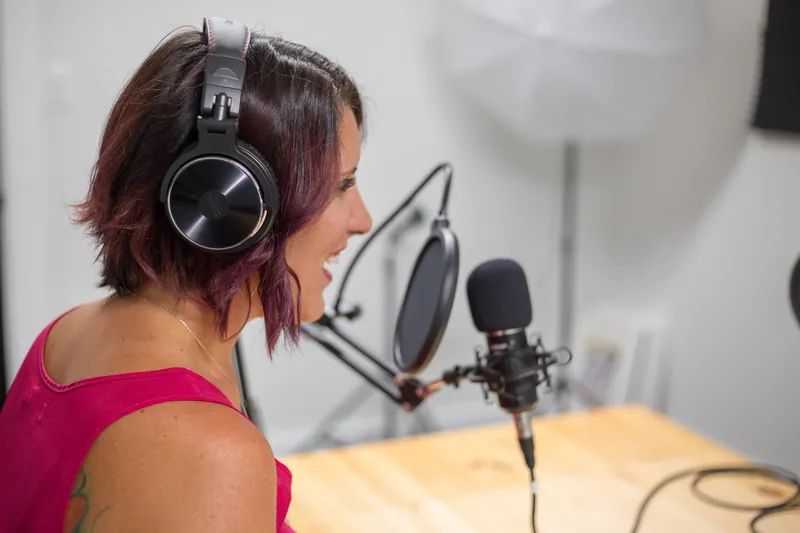
Simple fixes for a better video chat: camera height and angle, window, lamp and ring light setups, clear sound, stable connection and a 2-minute checklist.

Want to video chat with women? See which random chats charge for a gender filter, which have none, what a filter really guarantees and how WomChat differs.

Random video chat or dating apps? Compare speed, time, expectations, safety and costs, see who each one suits, and learn how to use both without wasting time.
Can you pick a country on random video chat? Country vs language vs location filters, which services offer them (free or paid) and when translation works better.

Making friends online as an adult takes time and repeat contact. Learn realistic expectations, how to find common ground on video chat and how to stay safe.

Skipped in seconds on random video chat? The honest reasons, how to make a better first 10 seconds, sample openers and what not to take personally.

Lost a great chat after pressing next? See which random video chats offer reconnect or friend features, how to suggest staying in touch and what's safe to share.

Video chat uses roughly 135 MB to over 1 GB of mobile data per hour, depending on quality. See the method, a 10/30/60-minute table and easy ways to use less.
Is that person live or a looped clip? Learn the signals of real live video, polite checks you can ask for, the limits of every test and when to skip and report.

Text chat or video chat for meeting new people? Compare comfort, privacy, language, honesty, data and accessibility, and learn when to type first and go live.

Someone crossed the line on video chat? How to report and block on random chat sites, what to report, which evidence to keep and when to contact the police.
One click is all it takes. Say hello — the next conversation could be the best one of your week.